An Attempt at Designing ImGUI with Retained UI Elements
A few iterations into this idea. Many more to go.

Introduction
To preface: I’m not an expert on UI. This is just a result of a search for a solution that fits my current needs and was something that I just wanted to learn and found interesting. I have about 10 years of experience with Unity3D, but I’ve never enjoyed working with its retained UI system. But I really like the ImGUI API. Custom editors are probably the best feature Unity has to offer and what kept me with the engine for all this time. But recently I’ve decided to try something new. For my current set of ideas, a custom 2D engine might be a better option. And that’s what I’m trying to do. But it also means that I need my own UI system.
First iteration
My first idea was to make the UI a retained one, but declare layout and all widgets like I would with ImGUI. It was done in the constructor/init method, modified and updated in a standard event/callback flow. It was hard to work with and really slow to iterate on. Also, now that I wasn’t using Unity, I was able to use C# hotreload feature, and this approach didn’t play well with it. I’ve scrapped this idea even before I’ve used it for any real UI.
Second iteration
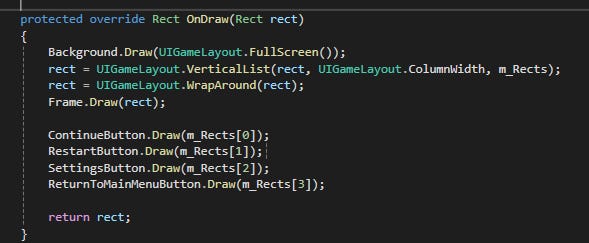
In the meantime, I've settled on a game idea that later turned into "Dropt". I didn't want to get stuck on iterating the UI framework, so I've picked the most primitive solution for layout you can get. Rect struct, with some helper methods like "SplitHorizontal", "AddPadding/Margin". I would hardcode my UI this way. API was simple: "draw button at rect". It worked, but there were problems.
One of them was that for more complex layouts, I would have to know ahead of time how many widgets there were and what size they would need.
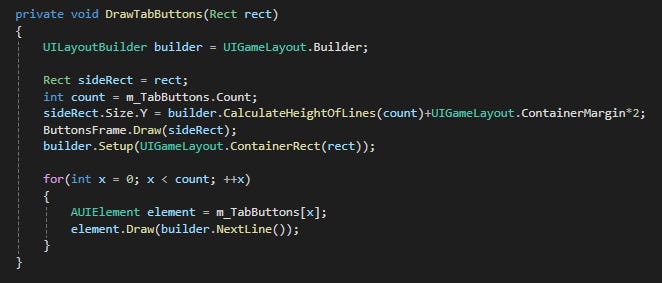
Or have a “builder” class that would try to keep track of it, but it was only good for a simple vertical/horizontal list of mostly static elements.
Another issue was, for example, drawing background frames. I could use depth buffer to mostly solve this, but it then introduced a different kind of complexity, of managing z-index for each element, which I didn’t really want to deal with. This was meant to be a simple UI system.
But it worked, I’ve created every panel I wanted this way. It mostly worked with hot reload, which greatly increased my iteration speed. I didn’t have to recompile and restart the game each time I wanted to adjust some button position or padding. It started falling apart when I started working on Rogue-like elements of gameplay. “Luckily”, I’ve cut that part of the game as it wasn’t fun, but it pushed me towards thinking about a better UI solution.
Third iteration
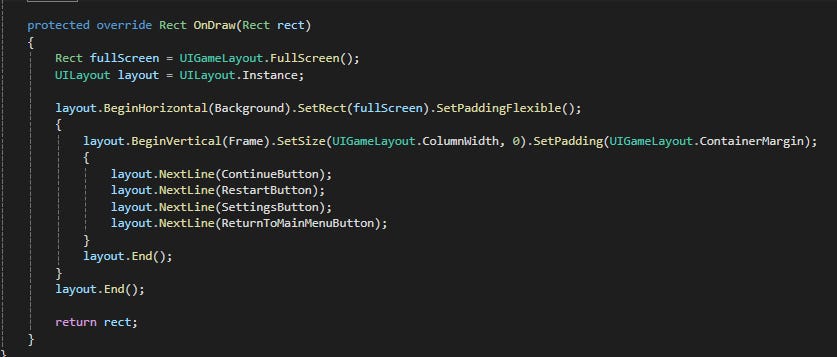
My current idea is to try to mimic the “GUILayout” API of Unity, with some simplifications/changes. I need to be able to put objects in vertical/horizontal lines. I want to be able to either assign a static size to an element or make it flexible. And that covers all the layout needs that I have. It reuses layout objects, so there is no memory allocation, and calculations are rather simple, so there isn’t much overhead on this. It will first calculate the layout, then draw each object in order, so it solves the problem of backgrounds. Elements with static size will stretch with children, as this is the behaviour that I need most of the time.
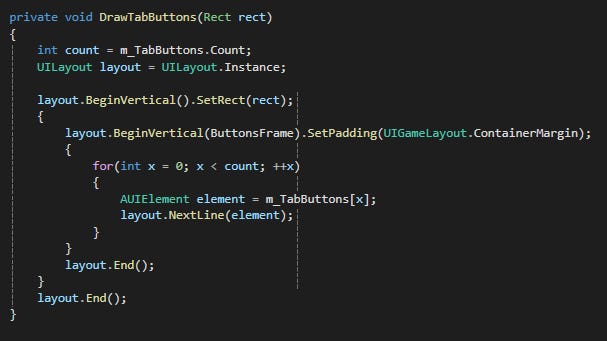
Nested UI Elements
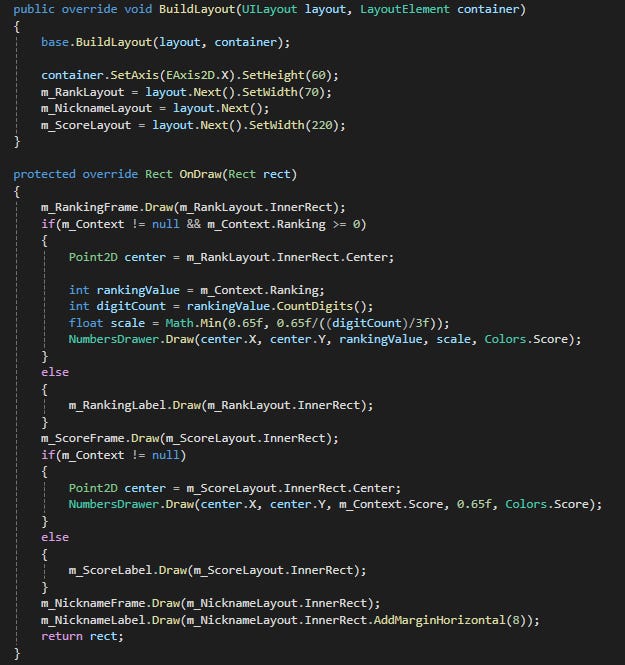
But this is still a work in progress. For example, to draw multiple UI objects in the same layout element, I would either have to create a separate class that implements UI related interface, or split it into 2 methods like below. BuildLayout prepares the layout and ensures that the parent object knows how much space it will take. Draw method then uses that layout to draw elements. This is something that I don't like and is something that I need to improve for the next iteration. But I've ported all of the UI in my current project to this layout approach, and it seems to fit my needs better than previous iterations.